Pharmacy Tool

The operating system for digital pharmacy.

Manage orders, inventory and fulfillment in one connected pharmacy workflow. RxScale gives pharmacies the tools and integrations they need to efficiently process digital healthcare orders from prescription to delivery.

Pharmacist with a face mask holding a tablet showing an order dashboard
THE CHALLENGE

Pharmacy operations shouldn't slow down as you scale.

Digital healthcare creates a constant flow of prescriptions, orders and fulfillment tasks. Without connected workflows, pharmacies spend more time managing orders manually and keeping different systems in sync.

Manual order processing

Checking for new orders and updating their status manually creates unnecessary work for pharmacy teams.

Disconnected systems

Orders, inventory and shipping information often need to move between the pharmacy's existing systems and the healthcare platform.

Growing operational workload

As order volumes increase, manual processes become harder to manage efficiently and reliably.

Our solution

One connected workflow for pharmacy operations.

RxScale connects the pharmacy directly to the healthcare workflow, giving pharmacy teams the tools and integrations they need to manage orders from receipt through fulfillment.


Order dashboard with total orders split into dispensed, in transit and delivered

Order Management

Receive, manage and process prescription orders throughout the entire workflow.

Bar chart of stock levels and critical items

Inventory Management

Keep stock levels up to date and connect inventory data with your pharmacy operations.

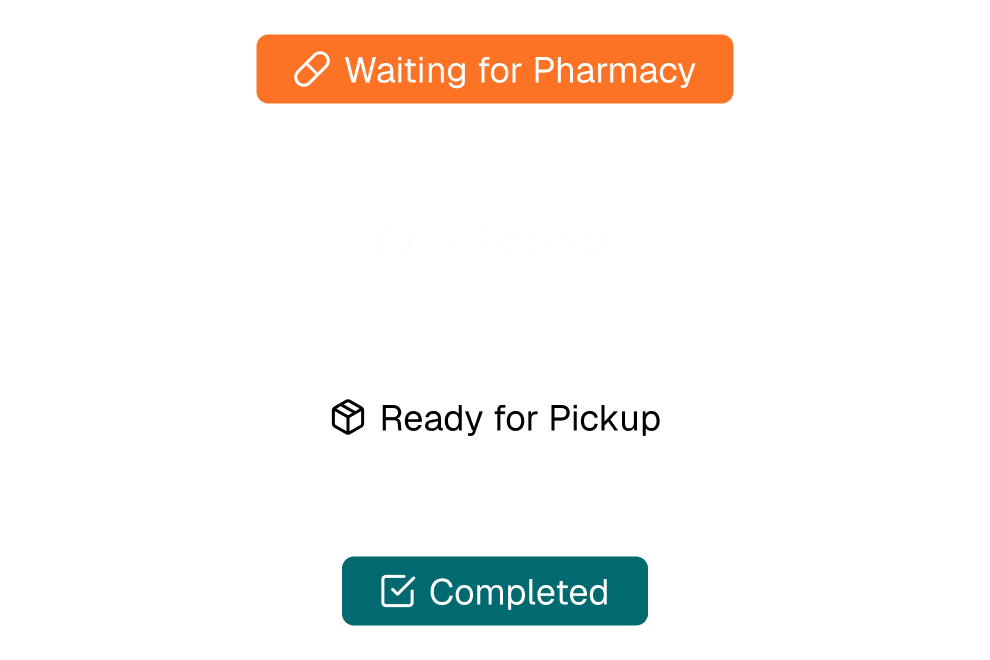
Order status flow from waiting for pharmacy to ready for pickup to completed

Fulfillment & Shipping

Manage the steps from order processing to shipment and keep delivery information connected.

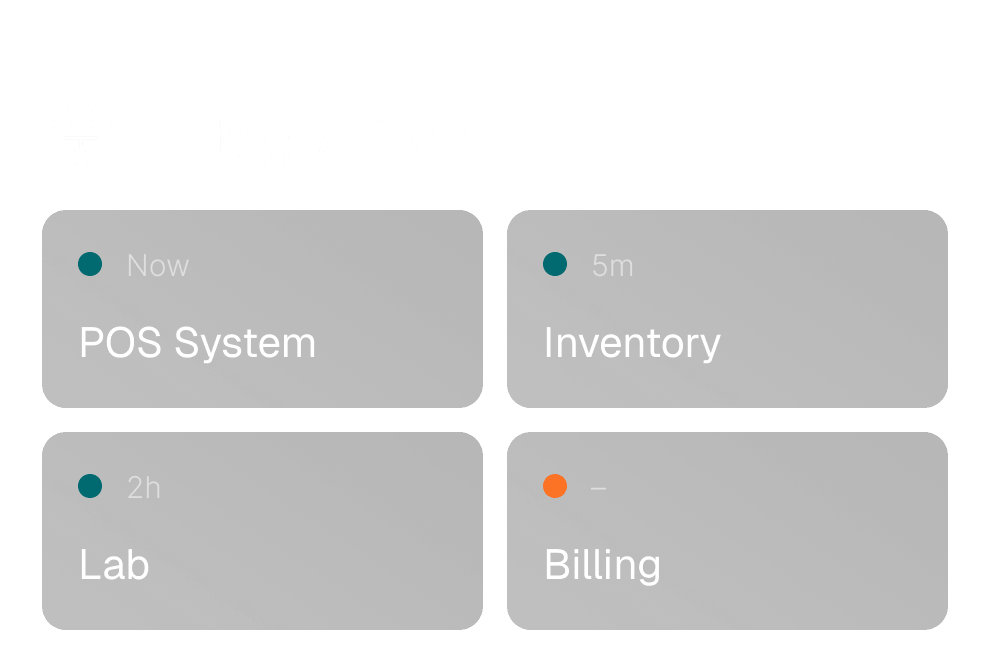
Integrations panel for POS system, inventory, lab and billing

Pharmacy Integrations

Connect RxScale with your existing pharmacy systems through API integrations and webhooks.

How it works

From order to delivery.

Connect every step of the pharmacy workflow and keep orders moving without unnecessary manual work.

1

Receive the order

New orders are automatically made available to the pharmacy through the Pharmacy Portal or your connected pharmacy system.

2

Process and fulfill

Review the order, check availability and move it through the relevant processing steps while keeping the order status up to date.

3

Ship to the patient

Add shipping information and keep the order connected through the final fulfillment stage.

Pharmacists serving a customer at a pharmacy counter

One workflow. From prescription to patient.

RxScale connects the key steps of pharmacy fulfillment, helping teams keep orders, inventory and shipping information aligned throughout the process.

  • New Order →
  • Processing →
  • Stock Check →
  • Fulfillment →
  • Shipping →
  • Patient
FLEXIBLE INTEGRATION

Use RxScale your way.

Whether you want to manage orders directly in the Pharmacy Portal or connect RxScale to your existing pharmacy software, the platform adapts to your workflow.

Pharmacy Portal

Use the RxScale interface to manage orders, statuses and pharmacy operations directly without building your own integration.

External Pharmacy API

Connect your existing pharmacy system directly to RxScale and automate order processing, status updates, stock synchronization and shipping information.

Webhooks

Receive automatic notifications when relevant events occur, such as new orders or order status changes, and trigger actions directly in your own systems.

Key Benefits

Built to simplify pharmacy operations.

  1. Reduce manual work
  2. Keep systems in sync
  3. Improve operational visibility
  4. Scale with your volume
Two pharmacists checking products on a pharmacy shelf

Get to know RxScale in an intro call

In 30 minutes we'll show you how this feature fits into your telemedicine platform and talk through your requirements. Your offer is agreed individually.

Our solution

One connected workflow for pharmacy operations.

RxScale connects the pharmacy directly to the healthcare workflow, giving pharmacy teams the tools and integrations they need to manage orders from receipt through fulfillment.
Pharmacists serving a customer at a pharmacy counter

Order Management

Receive, manage and process prescription orders throughout the entire workflow.

Inventory Management

Keep stock levels up to date and connect inventory data with your pharmacy operations.

Fulfillment & Shipping

Manage the steps from order processing to shipment and keep delivery information connected.

Pharmacy Integrations

Connect RxScale with your existing pharmacy systems through API integrations and webhooks.

Our solution

One connected workflow for pharmacy operations.

RxScale connects the pharmacy directly to the healthcare workflow, giving pharmacy teams the tools and integrations they need to manage orders from receipt through fulfillment.
Order dashboard with total orders split into dispensed, in transit and delivered

Order Management

Receive, manage and process prescription orders throughout the entire workflow.

Bar chart of stock levels and critical items

Inventory Management

Keep stock levels up to date and connect inventory data with your pharmacy operations.

Order status flow from waiting for pharmacy to ready for pickup to completed

Fulfillment & Shipping

Manage the steps from order processing to shipment and keep delivery information connected.

Integrations panel for POS system, inventory, lab and billing

Pharmacy Integrations

Connect RxScale with your existing pharmacy systems through API integrations and webhooks.

How it works

From order to delivery.

Connect every step of the pharmacy workflow and keep orders moving without unnecessary manual work.

1

Receive the order

New orders are automatically made available to the pharmacy through the Pharmacy Portal or your connected pharmacy system.

2

Process and fulfill

Review the order, check availability and move it through the relevant processing steps while keeping the order status up to date.

3

Ship to the patient

Add shipping information and keep the order connected through the final fulfillment stage.